How to Offer Contactless Dining with a QR Code Menu System
In today’s dining landscape, contactless solutions are no longer just a safety feature—they’re a customer expectation. A well-implemented QR code menu system lets guests browse the menu, place orders, and pay directly from their phones without touching physical menus or interacting with staff more than necessary. The most powerful and professional way to deliver this experience is through a fully branded White Label Food Ordering App for Restaurant combined with QR code technology. This comprehensive guide walks you through everything you need to know to launch contactless dining successfully.
What Exactly Is Contactless Dining?
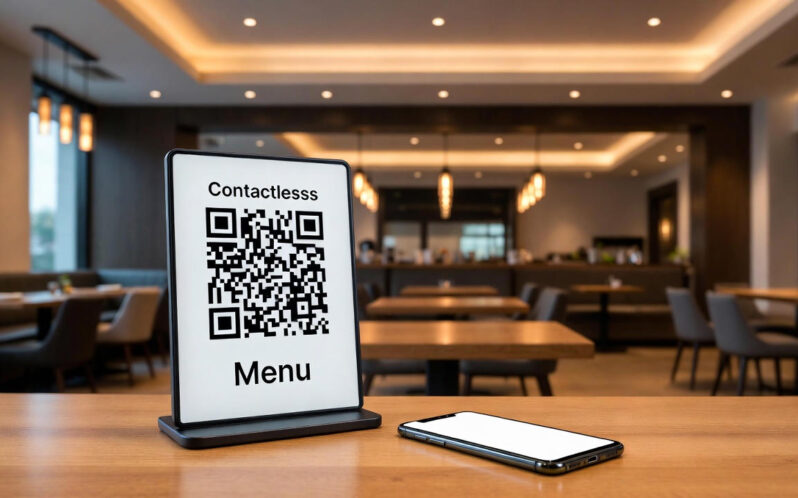
Contactless dining minimizes physical touchpoints by replacing traditional menus, order taking, and payment methods with digital alternatives. Core features include:
- QR code table stickers or stands that instantly open your digital menu
- Smartphone-based browsing and ordering
- Direct in-app payment (Apple Pay, Google Pay, credit card)
- Real-time order updates sent to the kitchen and customer
- Optional contactless delivery to the table
According to recent surveys, 78% of diners now prefer restaurants that offer contactless ordering options, and 65% say they would choose one restaurant over another if it provides a seamless digital experience.
Why QR Code Menus Alone Are Not Enough in 2026
Basic PDF menus accessed via QR code were a quick fix in 2020, but customers now expect much more. Simple PDF menus suffer from:
- No real-time item availability (no 86-ing)
- No upselling or combo suggestions
- No integrated payment
- No customer data collection
- Poor mobile experience (pinch-to-zoom frustration)
A modern White Label Food Ordering App for Restaurant with QR code access solves all of these issues and turns every table into a revenue-generating digital storefront.
Step-by-Step: How to Set Up Contactless Dining with QR Codes
Step 1: Choose a Professional White-Label Solution
Look for a platform that provides:
- Fully branded iOS & Android apps
- Web-based ordering (for guests without app downloads)
- Dynamic menu management with real-time updates
- Built-in payment processing
- Table-specific QR code generation
Step 2: Design and Brand Your Digital Menu
Upload high-quality photos, detailed descriptions, allergen info, and dietary tags. Organize items logically and highlight best-sellers and high-margin dishes.
Step 3: Generate Unique QR Codes for Each Table
Advanced systems let you create table-specific QR codes so orders are automatically routed to the correct zone or server. Print waterproof stickers or use elegant table tents.
Step 4: Train Your Staff
Focus training on:
- Explaining the QR system to guests who need help
- Monitoring incoming orders on kitchen display or POS
- Delivering food safely when ready
Step 5: Launch and Promote
Announce your new contactless system via social media, email lists, and in-restaurant signage. Offer a small opening incentive (e.g., free appetizer for first-time app orders).
Key Features Your QR Code System Must Have
| Feature | Benefit |
|---|---|
| Real-time 86 functionality | Prevents ordering sold-out items |
| Upselling & combo suggestions | Increases average check by 15-25% |
| Multiple language support | Serves international guests effortlessly |
| Integrated loyalty program | Encourages repeat visits |
| Split bill functionality | Perfect for groups |
Benefits Restaurants Are Seeing in 2025
- 25-40% faster table turnover – orders go straight to kitchen
- 15-30% higher average checks – smart upselling works
- Reduced labor costs – fewer servers needed for order taking
- Zero printing costs – update menu instantly without reprints
- Valuable customer data – emails, preferences, visit frequency
- Improved hygiene perception – crucial for customer confidence
Best Practices for Maximum Success
- Place QR codes at eye level with clear “Scan to see menu & order” instructions
- Offer both app-based and browser-based options (some guests resist downloads)
- Train hosts to assist elderly or less tech-savvy guests
- Keep Wi-Fi fast and free
- Display beautiful food photography – mobile screens demand it
- Send push notifications for specials once guests opt-in
Common Mistakes to Avoid
- Using static PDF menus (outdated and frustrating)
- Forgetting to test on both iPhone and Android devices
- Making QR codes too small or poorly lit
- Not training staff on the new workflow
- Ignoring feedback during the first weeks
Conclusion: Make Contactless Dining Your Competitive Advantage
In 2026 and beyond, customers will continue to reward restaurants that make dining safer, faster, and more convenient. A professionally implemented QR code menu system powered by a White Label Food Ordering App for Restaurant delivers all of this while increasing your revenue and collecting valuable first-party data.
The technology is mature, affordable, and proven. Restaurants that adopt full contactless dining now are seeing higher guest satisfaction scores, bigger checks, and stronger repeat business.
Don’t settle for a basic QR code pointing to a PDF. Give your guests the premium digital experience they expect—and watch your tables turn faster and your profits grow.